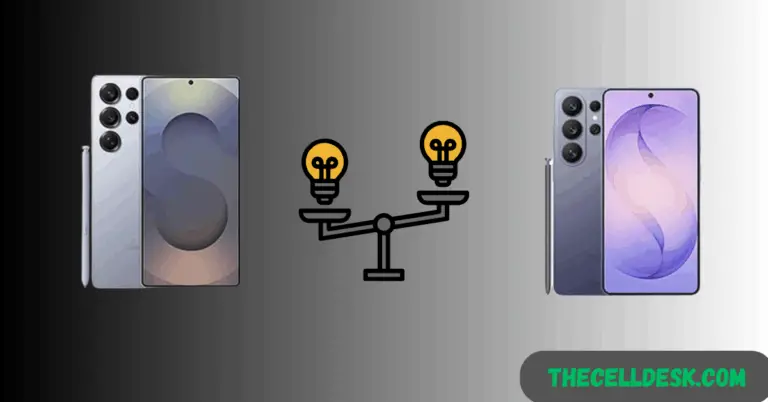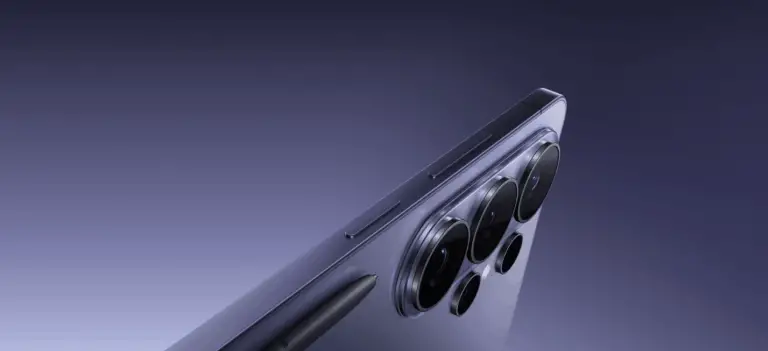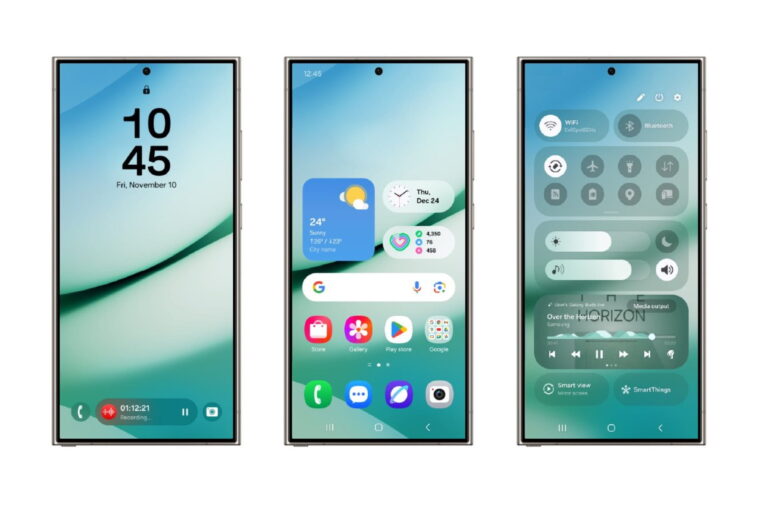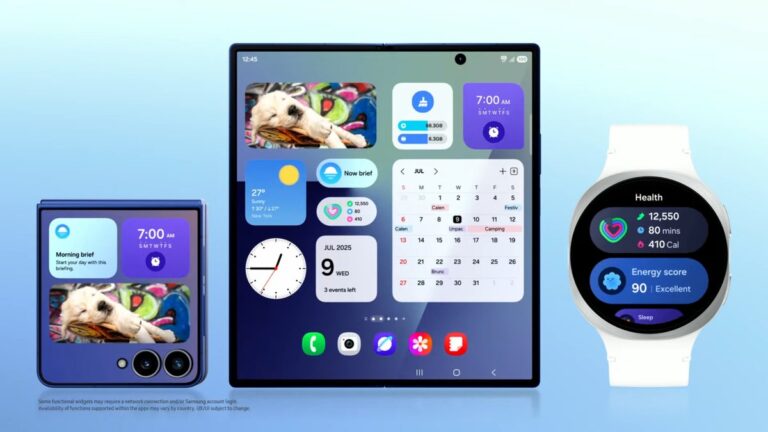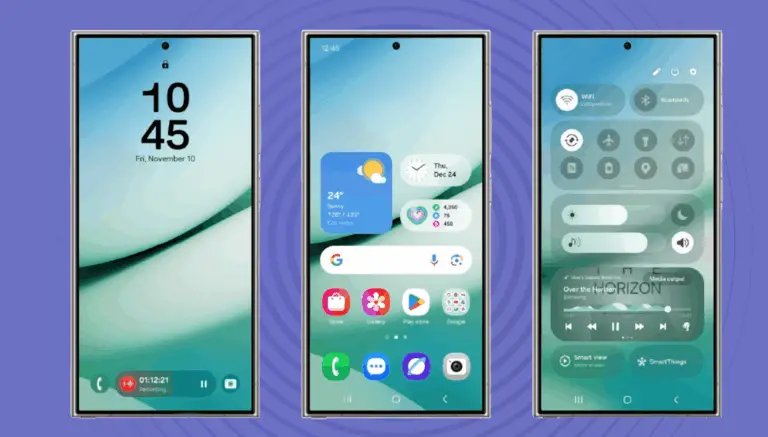
Samsung’s One UI 9.0 is expected to build directly on the foundation laid by One UI 8 — but the key difference appears to be system-level AI integration.
If you’re wondering whether this is a major upgrade or just a refinement, here’s a clear comparison.
Core Differences at a Glance
Feature
One UI 8
One UI 9 (Expected)
AI Features
App-based tools
System-level AI
Battery Management
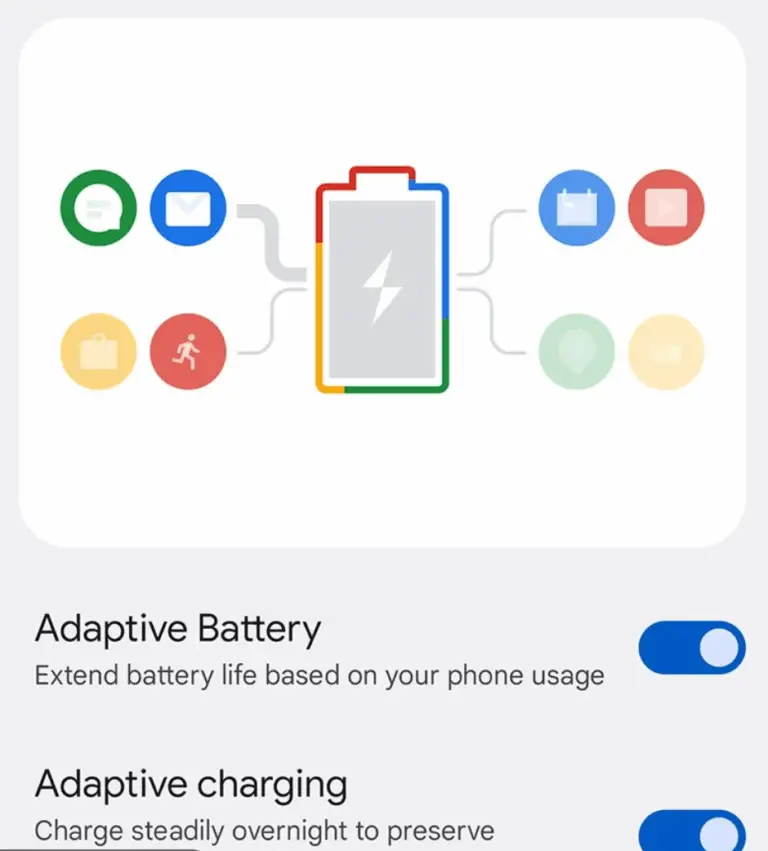
Adaptive battery
Predictive optimization
Performance
Stability-focused
AI-tuned performance
UI Changes
Minor refinements
Context-aware interface
Biggest Upgrade: AI Moves to the System Level
One UI 8 focused on improving individual features.
One UI 9 is expected to introduce:
Smarter automation
AI-driven background management
Predictive usage suggestions
Real-time battery learning
This could make devices feel smoother without hardware changes.
Performance & Efficiency
Samsung has steadily improved optimization under Samsung’s update cycle.
One UI 9 is expected to:
Reduce idle battery drain
Improve app launch speeds
Enhance thermal stability
For US users on carrier models, these improvements are especially valuable.
Should You Upgrade?
If your device supports it, yes. One UI 9 appears to be more meaningful than incremental updates.
Samsung’s One UI 9.0 update is already generating interest following the first glimpse of its new Galaxy AI feature. But the big question for many users is simple:
Will my Galaxy phone get One UI 9.0?
Based on Samsung’s current software support policy and historical rollout patterns, here’s a detailed breakdown of expected eligible devices, beta timelines, and what US users should expect.
Quick Overview
One UI 9.0 will launch first on flagship Galaxy devices.
Samsung now offers up to 4 major Android OS upgrades on select models.
Galaxy S, Z Fold, and Z Flip devices are top priority.
Some premium Galaxy A models are also likely eligible.
Samsung’s Software Update Policy Explained
Samsung has significantly improved its software commitment in recent years.
Many recent flagship devices receive:
4 major Android OS upgrades
5 years of security updates
This makes predicting One UI 9.0 eligibility much easier than in the past.
Galaxy S Series: Expected One UI 9.0 Support
Samsung typically prioritizes its flagship S lineup.
Likely Eligible Galaxy S Devices
Galaxy S25 series
Galaxy S24 series
Galaxy S23 series
Select late S22 models (depending on update cycle)
If your device launched with a promise of 4 OS upgrades, One UI 9.0 should fall within that window.
Galaxy Z Fold & Flip Devices
Foldables are a major priority for Samsung.
Expected Support:
Galaxy Z Fold 6
Galaxy Z Fold 5
Galaxy Z Flip 6
Galaxy Z Flip 5
Samsung treats foldables as flagship-tier devices, so update priority is high.
Galaxy A Series: Who Makes the Cut?
Premium A-series models may receive the update.
Likely candidates:
Galaxy A55
Galaxy A54
Newer A3x models (depending on launch year)
Lower-tier A-series phones may not receive the full One UI 9.0 upgrade but could get security updates instead.
US Beta Program Timeline
Samsung traditionally rolls out beta programs in this order:
South Korea
United States
Germany / UK
Other regions
Expected Beta Timeline (US)
Stage
Estimated Window
Beta Announcement
Late 2026
Public Beta (US)
Shortly after announcement
Stable Release
Q4 2026
Beta programs typically begin with the latest Galaxy S flagship.
Why One UI 9.0 Eligibility Matters
With the first Galaxy AI feature already spotted in early builds, One UI 9.0 could deliver:
Smarter battery optimization
System-level AI automation
Improved performance tuning
Enhanced camera processing
More contextual device intelligence
For users keeping their phones longer, update eligibility directly impacts long-term performance and resale value.
How to Check If Your Galaxy Phone Will Get One UI 9.0
You can check your update eligibility by:
Going to Settings
Tapping Software Update
Reviewing your current Android version
Checking Samsung’s official support page once One UI 9 is announced
Devices still within their OS upgrade window are strong candidates.
Should You Upgrade Your Phone?
If your current Galaxy device:
Is 3+ years old
Is near the end of its OS support window
Shows declining battery performance
Upgrading to a newer Galaxy model ensures One UI 9.0 support and future AI enhancements.
If your device is recent, you likely won’t need new hardware to enjoy the update.
Frequently Asked Questions (FAQs)
When will Samsung confirm the official One UI 9.0 device list?
Samsung typically confirms supported devices when announcing the beta program.
Will carrier models in the US get One UI 9.0?
Yes, but carrier variants may receive the update slightly later than unlocked models.
Do unlocked phones get updates faster?
In many cases, yes. Unlocked Galaxy devices often receive updates before carrier-branded models.
Will Galaxy AI features work on older phones?
Some AI features may be limited by hardware capabilities.
Final Thoughts
Samsung’s extended software commitment makes One UI 9.0 one of the most widely anticipated updates in recent years.
If your device falls within Samsung’s modern update window, there’s a strong chance you’ll receive the update — along with the expanding Galaxy AI ecosystem.
As soon as Samsung confirms the official device list, this article will be updated with verified information.
Samsung’s next major software update is already generating buzz. An early glimpse of One UI 9.0 has surfaced, showcasing what appears to be a new Galaxy AI feature — signaling Samsung’s continued push into deeper on-device intelligence.
If you’re a Galaxy user in the US wondering what this means for your phone, here’s a clear, research-backed breakdown of what we know so far, what’s likely coming next, and how it could impact your device.
Quick Summary
One UI 9.0 is expected to be Samsung’s next major Android skin.
A new Galaxy AI enhancement has appeared in an early internal build.
The update is likely to launch first in beta later this year.
Flagship Galaxy S and Fold devices will likely receive it first.
AI optimization and smarter system automation appear to be major focus areas.
What Is One UI 9.0?
One UI is Samsung’s custom Android interface for Galaxy smartphones. Following the AI-focused push seen in previous updates, One UI 9.0 is expected to expand Samsung’s on-device AI ecosystem.
Samsung has increasingly positioned Galaxy AI as a core software pillar, integrating AI into messaging, photo editing, voice features, and productivity tools.
This early glimpse suggests One UI 9.0 will continue that direction.
The First Galaxy AI Feature Spotted
While full details aren’t officially confirmed, the early One UI 9.0 build shows a new AI-driven system enhancement layer integrated directly into system settings and core apps.
What This Suggests:
Deeper on-device AI processing
Smarter contextual suggestions
Improved automation
More seamless integration across apps
Rather than being limited to one app, Galaxy AI in One UI 9.0 appears to operate at the system level.
This is significant.
It suggests Samsung is moving beyond feature-based AI and toward AI-enhanced operating systems.
How Galaxy AI Is Evolving
Samsung’s Galaxy AI strategy has evolved in three phases:
Phase 1: App-Level AI
AI photo tools
AI writing suggestions
Smart translation
Phase 2: Cross-App Integration
Context-aware recommendations
Call assistance tools
Smart summaries
Phase 3 (Expected in One UI 9.0): System-Level AI
Predictive automation
Background optimization
Context-aware UI adjustments
This aligns with the broader industry shift toward device-level intelligence rather than cloud-only AI.
Expected One UI 9.0 Features
Based on Samsung’s software trends and current development patterns, here’s what One UI 9.0 may include:
1. Smarter Battery Optimization
AI-driven power management that adapts more aggressively based on usage patterns. We’ve also analyzed the expected One UI 9 battery improvements explained in detail.
2. Enhanced Camera AI
Improved scene recognition and dynamic exposure tuning.
3. Context-Aware Notifications
Smarter grouping and prioritization based on usage behavior.
4. AI-Assisted Multitasking
Better app suggestions and split-screen recommendations.
5. Performance Optimization Layer
Thermal and CPU adjustments driven by real-time learning.
Samsung typically rolls out major One UI updates in line with Google’s Android release cycle.
Expected Timeline (US Focused)
Stage
Estimated Time
Internal testing
Ongoing
Beta Program (US)
Late 2026
Official Release
Q4 2026
The US beta program often launches for Galaxy S flagship models first. You can follow our step-by-step guide on how to install the One UI 9 beta once enrollment opens. For region-specific timing, see our full breakdown of the One UI 9 US beta release date.
Which Galaxy Devices May Get One UI 9.0?
Samsung has extended software support in recent years, especially for flagship models.
Samsung now offers extended OS update commitments, increasing the chances for broader support.
What This Means for Galaxy Users
If the leaked AI feature reflects Samsung’s final direction, One UI 9.0 could focus on:
More personalized device behavior
Smarter automation
Reduced manual adjustments
Better power efficiency
AI-enhanced productivity
For US users, this likely means smoother performance and better battery life without hardware upgrades.
Is This a Confirmed Feature?
At this stage, the AI enhancement appears in early internal builds. Samsung has not officially announced the final features for One UI 9.0.
Early build features can change before public release.
However, Samsung’s consistent AI expansion makes system-level integration highly plausible.
Why This Matters in 2026
The smartphone industry is shifting toward AI-driven operating systems. Rather than adding isolated AI tools, manufacturers are embedding intelligence deeper into system architecture.
Samsung appears to be aligning One UI 9.0 with that shift.
This keeps Galaxy competitive in the US market, especially among power users and productivity-focused customers.
Should You Wait for One UI 9.0?
If you already own a recent Galaxy flagship, there’s no need to upgrade hardware for AI improvements.
Software updates are likely to deliver meaningful improvements on supported devices.
If you’re considering buying a new Galaxy later this year, One UI 9.0 support should be a key factor in your decision.
Frequently Asked Questions (FAQs)
When will One UI 9.0 be released in the US?
Samsung is expected to begin beta testing in the US before a wider rollout later in the year.
What is the new Galaxy AI feature in One UI 9.0?
Early builds suggest deeper system-level AI integration focused on automation and optimization.
Will my Galaxy phone get One UI 9.0?
Recent Galaxy S and Fold models are likely eligible, based on Samsung’s update policy.
Is One UI 9.0 based on the next Android version?
Yes, One UI updates are built on top of Google’s latest Android release.
Final Thoughts
The first glimpse of One UI 9.0 signals something important: Samsung is doubling down on Galaxy AI at the operating system level.
If the early build reflects the final product, Galaxy devices may soon feel smarter, more adaptive, and more personalized — without requiring new hardware.
As more information becomes available, this page will be updated with confirmed features, beta timelines, and supported devices.
Samsung has officially confirmed its next Galaxy Unpacked event for February 25, where the company is expected to introduce the Galaxy S26 lineup. The announcement signals the start of Samsung’s 2026 flagship cycle in the United States.
Here’s what U.S. buyers should know now.
Galaxy S26 Launch Date Confirmed
Event: Samsung Galaxy Unpacked
Date: February 25
Expected U.S. Preorders: Same day as event
Expected U.S. Release: Early–mid March
Samsung traditionally opens U.S. preorders immediately following Unpacked, with retail availability within two weeks.
What to Expect From the Galaxy S26 Series
While full specifications will be revealed at the event, based on Samsung’s established release cycle and prior S-series upgrades, the Galaxy S26 family is expected to include:
Galaxy S26
Galaxy S26+
Galaxy S26 Ultra
Likely Upgrades for U.S. Models
Latest-generation Snapdragon chipset
Enhanced on-device AI features
Improved display brightness and efficiency
Upgraded cooling system
Advanced computational photography
Long-term Android update support
Samsung has prioritized AI-driven features in recent launches, and further expansion of Galaxy AI capabilities is expected.
Why This Matters for U.S. Buyers
The Galaxy S26 series will directly compete in the U.S. premium smartphone market, where upgrade timing and preorder incentives matter.
Historically, Samsung offers:
Aggressive trade-in credits
Free storage upgrades during preorder
Carrier financing incentives
Samsung.com exclusive bonuses
For U.S. consumers, the preorder window often provides the highest total savings.
Expected U.S. Pricing
Official pricing will be announced February 25. Based on prior S-series launches:
Base model expected in the standard flagship price tier
Ultra model expected in premium category
Final confirmation will come during the keynote.
Frequently asked Questions (FAQs)
When is the Galaxy S26 launching?
Samsung confirmed a February 25 Galaxy Unpacked event where the Galaxy S26 series is expected to be officially announced.
When will Galaxy S26 preorders start in the U.S.?
Preorders typically begin the same day as the Unpacked event and last about two weeks.
Will Galaxy S26 have AI features?
Yes. Samsung is expected to expand its on-device AI features as part of the Galaxy S26 series announcement.
When will Galaxy S26 be available in stores?
Retail availability in the United States is expected in early to mid-March.
I’ve been using the Pixel 10 Pro series as a daily device and noticed several common issues that typically appear shortly after setup. These are software-related problems, not hardware defects, and most can be fixed with built-in settings.
Below are the most common Pixel 10 Pro series problems and the solutions that worked.
Battery Draining Faster Than Expected
Issue: Battery life feels inconsistent during the first few days.
Cause: After setup, Android runs background optimization, app syncing, and Adaptive Battery learning.
Fix:
Go to Settings → Battery → Battery usage
Restrict rarely used apps
Temporarily disable Always-On Display
Allow 5–7 days for Adaptive Battery to settle
Battery life improves noticeably after the learning period.
Phone Running Warm or Heating Up
Issue: Device feels warm during camera use, video calls, or charging.
Cause: Tensor processing, camera AI, and background optimization increase short-term heat.
Fix:
Avoid using the phone while charging
Remove thick cases during charging
Update all apps and install the latest Pixel update
Mild warmth is normal; persistent overheating is not.
Cellular Signal Issues on US Carriers
Issue: Signal drops indoors or switches between 5G and LTE.
Cause: Aggressive network switching for battery efficiency.
Fix:
Go to Settings → Network & Internet → SIM
Set Preferred network type to automatic
Reset network settings if needed
Signal stability improved after adjustment.
GPS Accuracy or Navigation Problems
Issue: Location lag, drifting, or navigation cutting out.
Cause: Battery optimization and limited location permissions.
Fix:
Go to Settings → Location
Enable Precise Location
Set navigation apps to Allow all the time
Turn off Battery Saver during navigation
GPS tracking returned to normal after this.
Camera Lag or Over-Processed Photos
Issue: Camera app slow to open or images over-processed.
Cause: Computational photography tuning after launch.
Fix:
Clear Camera app cache
Update Camera app via Play Store
Disable unused camera features temporarily
Camera performance improved after updates.
Fingerprint Sensor Not Always Recognizing
Issue: Missed unlock attempts, especially with screen protectors.
Fix:
Re-register fingerprints
Enable Screen protector mode
Register fingerprints in multiple lighting conditions
Recognition accuracy improved immediately.
App Bugs or UI Glitches After Setup
Issue: Minor app crashes or UI stutters.
Cause: Early Android build optimization.
Fix:
Restart the phone
Update Google Play Services
Install monthly Pixel updates
Most issues resolved after the first update cycle.
Is the Pixel 10 Pro Series Defective?
No. These are early software optimization issues, common on Pixel devices after launch. Historically, performance improves significantly after the first few updates.
When to Contact Google Support
Contact Google Support only if:
Device overheats constantly
Battery drains severely after 10 days
Cellular or GPS never works
Random reboots occur
Frequently asked Questions (FAQs)
Why is my Pixel 10 Pro battery draining fast?
Pixel 10 Pro battery drain is common during the first few days due to background optimization and Adaptive Battery learning. Battery life typically improves after 5–7 days.
Is Pixel 10 Pro overheating a hardware issue?
No. Mild warmth during camera use or charging is normal and usually caused by Tensor processing and background optimization.
Why is Pixel 10 Pro GPS not accurate?
GPS accuracy issues are usually caused by restricted location permissions or Battery Saver limiting background activity.
Does Pixel 10 Pro have signal problems on US carriers?
Some users may experience signal drops due to network switching behavior. Adjusting preferred network settings often improves stability.
Fresh leaks — including official-style renders and purported specs — have surfaced for the Samsung Galaxy S26 Ultra, giving us our closest look yet at Samsung’s next flagship smartphone ahead of its anticipated Unpacked event in late February 2026.
These leaks build on months of insider reports and early CAD renders, and while Samsung has not confirmed details yet, the information comes from multiple credible sources with a track record of accurate pre-launch leaks.
Galaxy S26 Ultra Design: Familiar Yet Refined
The leaked renders show that the S26 Ultra closely resembles its predecessor (S25 Ultra), but with notable refinements:
Camera Layout: A new pill-shaped camera island replaces the floating individual lens design used on recent Ultra models, with a stacked quad-camera array.
Rounded Corners & Slimmer Frame: The phone is expected to measure about 7.9mm thick with slightly more rounded edges for a more ergonomic feel.
Color Options: Leaks suggest multiple colorways including Black, White, Blue, Violet, and possibly other shades.
Overall, the aesthetic shifts are evolutionary rather than revolutionary — Samsung seems focused on refinement over radical redesign.
200MP main camera for sharper, higher-detail shots.
Additional sensors likely include a 50MP ultrawide, 50MP periscope 5x zoom, and a 12MP telephoto lens.
Battery & Charging
A 5,000mAh battery with 60W wired fast charging and 25W wireless charging (possibly Qi2 compatible).
S Pen Integration
Leaks hint at continued S Pen support, signaling productivity focus for the Ultra lineup.
Rumored Features Worth Watching
Here are a few notable rumored upgrades that could set the S26 Ultra apart from its predecessors:
Privacy display tweaks that adapt to app usage and viewing angles.
Camera enhancements targeting low-light performance and AI-based processing.
Potential Qi2 magnetic charging and accessory ecosystem support, though native magnetic wireless integration remains partly unclear.
Galaxy S26 Ultra Launch Timeline (Expected)
Industry insiders and leaked posters suggest Samsung will unveil the **Galaxy S26 series — including the S26 Ultra — at Galaxy Unpacked on February 25, 2026.
This aligns with Samsung’s usual pre-spring flagship cycle, giving the S26 lineup a promotional runway before the broader retail launch.
Frequently asked Questions (FAQs)
Will the Galaxy S26 Ultra look different from the S25 Ultra?
Yes — the S26 Ultra appears to adopt a new camera island design and slightly more rounded edges, though the overall aesthetic is refined rather than redesigned.
What chipset will the Galaxy S26 Ultra use?
Leaks strongly indicate a Snapdragon 8 Elite Gen 5 chipset for top-tier performance, with regional Exynos variants also possible.
Does the S26 Ultra get a better camera?
The leaked specs show a 200MP main sensor and improved secondary lenses, suggesting significant camera performance upgrades.
When will the Galaxy S26 Ultra launch?
Samsung is expected to reveal the S26 series, including the Ultra, on February 25, 2026.
Expert Insight: What This Means for Buyers
If the leaked specs hold true, the Galaxy S26 Ultra will continue Samsung’s strategy of subtle refinement and incremental innovation: stronger performance, high-end camera hardware, and productivity enhancements like S Pen support. While not a radical departure from the S25 Ultra, these upgrades could make it one of the most compelling Android flagships of 2026 — particularly for power users and mobile photographers.
Conclusion
The leaked renders and specs of the Samsung Galaxy S26 Ultra paint a picture of a mature, refined flagship poised to take on competitors in early 2026. While Samsung hasn’t officially confirmed these leaks yet, consistent reporting from multiple credible sources suggests we’re looking at near-final design and spec details ahead of the official launch.
Stay tuned — as more verified information emerges, we’ll update this guide with the most accurate launch specs and confirmed features as they’re announced.
If GPS on your iPhone 17 Pro randomly stops working, loses tracking, or freezes your location, the issue is usually caused by iOS location settings, background app restrictions, or network configuration — not hardware failure.
I experienced this issue firsthand on a pre-ordered iPhone 17 Pro and resolved it permanently. If your iPhone 17 Pro GPS is also not working or stops working randomly, then this guide explains the most common iPhone 17 Pro GPS problems and how to fix iPhone 17 Pro GPS tracking permanently using the steps below.
To fix GPS issues on iPhone 17 Pro:
Restart Location Services
Set GPS apps to “Always” with Precise Location enabled
Enable Motion & Compass calibration
Turn off Low Power Mode
Reset Network Settings
This restores stable, accurate GPS tracking in most cases.
Common GPS Issues on iPhone 17 Pro
Users may notice:
GPS stops updating location
Navigation apps lose signal mid-route
Fitness apps stop recording distance
Maps show “Searching for GPS”
Location works briefly, then fails again
These symptoms typically appear after initial device setup or iOS updates.
Why GPS Stops Working on iPhone 17 Pro
Based on testing and Apple system behavior, GPS interruptions are caused by:
Background app restrictions
Incorrect location permission settings
Disabled motion calibration services
Network configuration conflicts
Low Power Mode limiting GPS access
This is a software configuration issue, not a defective GPS chip.
Step-by-Step Fix (Recommended by Apple-Level Troubleshooting)
Step 1: Restart Location Services
Open Settings
Tap Privacy & Security
Tap Location Services
Turn Location Services OFF
Wait 30 seconds
Turn it ON again
This refreshes the GPS subsystem.
Step 2: Allow GPS Apps to Access Location “Always”
Go to Settings → Privacy & Security → Location Services
Select your navigation or fitness app
Set Location Access → Always
Enable Precise Location
Repeat for all GPS-dependent apps.
Step 3: Enable System Location Services
Go to Settings → Privacy & Security → Location Services
Scroll down and tap System Services
Enable:
Motion Calibration & Distance
Compass Calibration
Disable:
Location-Based Apple Ads
Location-Based Suggestions
This prevents background conflicts with live GPS tracking.
Step 4: Turn Off Low Power Mode
Open Settings
Tap Battery
Turn Low Power Mode → OFF
Low Power Mode limits GPS accuracy and background tracking.
This clears GPS, Wi-Fi, Bluetooth, and cellular configuration without deleting personal data.
How to Confirm GPS Is Fixed
After completing all steps:
Test navigation for at least 20–30 minutes
Start an outdoor workout
Lock the screen and verify background tracking
If location updates continuously, the issue is resolved.
Is This a Hardware Problem?
No. If GPS works intermittently, Apple considers this a software configuration issue. Hardware service is only required if GPS never works at all, even after a network reset.
When to Contact Apple Support
Contact Apple Support if:
GPS never updates under any condition
Location is consistently incorrect by large distances
The issue persists after resetting network settings
Otherwise, the steps above resolve the issue in most cases.
Frequently Asked Questions
Why is iPhone 17 Pro GPS not working?
iPhone 17 Pro GPS may stop working due to iOS location permission settings, disabled motion calibration services, Low Power Mode restrictions, or network configuration issues. This is typically a software configuration problem, not a hardware defect.
How do I fix GPS on iPhone 17 Pro?
To fix GPS on iPhone 17 Pro, restart Location Services, set navigation and fitness apps to Location Access “Always,” enable Precise Location, turn off Low Power Mode, and reset Network Settings. This resolves most GPS tracking issues.
Does Low Power Mode affect iPhone GPS?
Yes. Low Power Mode limits background system activity and can reduce GPS accuracy or stop location tracking entirely. For navigation or fitness tracking, Low Power Mode should be turned off.
Is iPhone 17 Pro GPS a hardware issue?
In most cases, no. If GPS works intermittently or stops randomly, it is considered a software issue. Hardware service is only recommended if GPS never works under any condition, even after a network reset.